Accounts Software for Small Business: Simplify Your Business Finances
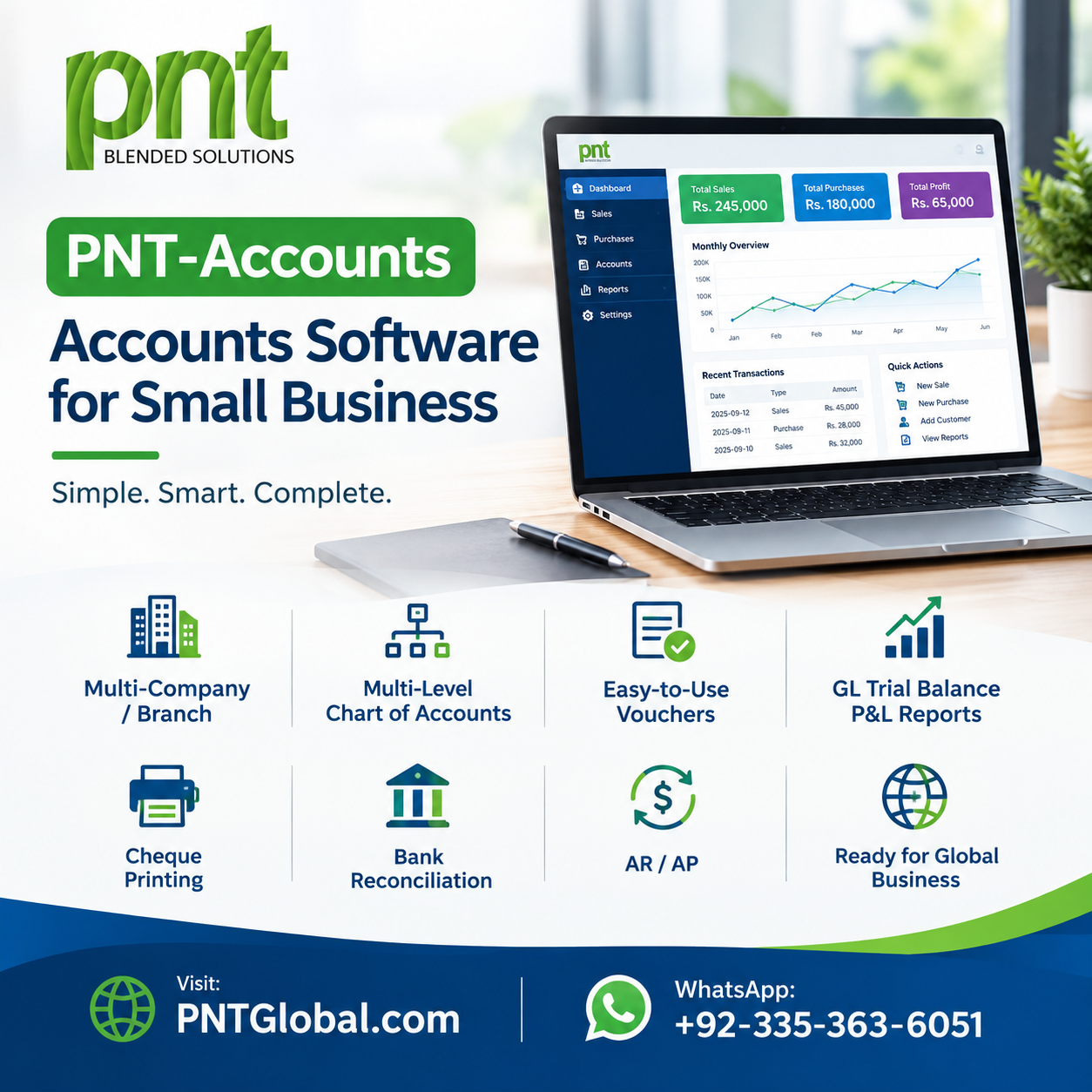
Managing finances is one of the most important parts of running a small business. From recording sales and expenses to tracking invoices, payments, and financial reports, accounting tasks can quickly become difficult as a business grows.
Using reliable accounts software for small business can help organize financial operations, reduce manual work, improve accuracy, and give business owners better visibility into their company's financial performance.
For businesses that want to move beyond spreadsheets and manual bookkeeping, a properly designed accounting solution can provide a more efficient way to manage everyday financial activities.
What Is Accounts Software for Small Business?
Accounts software is a digital system that helps businesses record, organize, and manage financial transactions.
Depending on the business requirements, accounting software can manage:
- Sales and purchases
- Income and expenses
- Customer invoices
- Supplier payments
- Accounts receivable
- Accounts payable
- General ledger
- Cash flow
- Financial reports
- Tax-related records
For small businesses, the main advantage is having important financial information organized within one system rather than maintaining multiple spreadsheets and manual records.
Why Small Businesses Need Accounts Software
As a company grows, the number of financial transactions also increases. Managing everything manually can take significant time and may create difficulties in maintaining accurate records.
1. Save Time
Accounting software can automate repetitive tasks such as calculations, invoice preparation, transaction recording, and report generation.
This allows business owners and employees to spend more time on important business activities.
2. Reduce Manual Errors
Manual calculations and repeated data entry can result in accounting mistakes.
An automated accounting system can perform calculations consistently and maintain structured transaction records, helping reduce common human errors.
3. Track Income and Expenses
Small businesses need to understand where their money is coming from and where it is being spent.
Accounts software allows businesses to categorize and monitor income and expenses, making financial information easier to review.
4. Manage Invoices and Payments
Businesses often need to manage multiple customer invoices and supplier payments.
Accounting software can help track:
- Paid invoices
- Pending invoices
- Overdue payments
- Supplier balances
- Customer balances
This provides better visibility into outstanding payments.
5. Generate Financial Reports
Financial reports help business owners understand the company's performance.
Depending on the system, reports may include:
- Profit & Loss Statement
- Balance Sheet
- Cash Flow Report
- Sales Report
- Expense Report
- Receivables Report
- Payables Report
Having these reports available through software can make financial review faster and more organized.
Key Features of Accounts Software
The right accounting software depends on the size and requirements of the business. However, several features are particularly useful for small businesses.
General Ledger
The general ledger maintains a structured record of financial transactions and accounts. It forms an important part of financial reporting.
Accounts Receivable
Accounts receivable helps businesses monitor amounts owed by customers and track outstanding invoices.
Accounts Payable
Accounts payable helps businesses manage amounts owed to suppliers and vendors.
Expense Management
Businesses can record and categorize operational expenses, helping management understand spending patterns.
Invoicing
Businesses can create and manage customer invoices and maintain payment records through the system.
Financial Dashboard
A dashboard can provide management with a quick overview of important financial information such as sales, expenses, receivables, and payables.
User Access Management
If multiple employees use the accounting system, different access levels can be assigned according to their roles and responsibilities.
Accounts Software vs. Excel
Many small businesses begin by managing accounts through Excel spreadsheets. While Excel can be useful for basic record keeping, it can become difficult to manage when transaction volumes increase.
With spreadsheets, employees may need to manually update:
- Sales records
- Expenses
- Invoices
- Payments
- Customer balances
- Supplier balances
- Financial reports
Dedicated accounting software can centralize these activities and automate many repetitive processes.
For a growing business, an integrated accounting system can provide better structure and visibility than managing multiple spreadsheets.
Cloud-Based Accounts Software
Cloud-based accounting solutions allow businesses to access their financial systems through internet-connected devices, depending on the platform.
Potential benefits include:
- Remote accessibility
- Centralized information
- Multi-user collaboration
- Easier system updates
- Flexible access
However, businesses should evaluate security, user permissions, backups, data protection, and service reliability before selecting a cloud accounting solution.
How to Choose Accounts Software for Your Small Business
Every business has different requirements. Before selecting an accounting system, consider the following factors.
Business Requirements
Identify which accounting activities need to be automated and which features are essential for daily operations.
Industry
A retail or trading company may require inventory and purchasing integration, while a service company may primarily need invoicing, expenses, and customer management.
Scalability
Choose a solution that can support your business as transaction volumes, employees, customers, and operational requirements increase.
Integration
If your business already uses inventory, CRM, payroll, e-commerce, or other systems, integration can help connect different business functions.
Security
Financial information is sensitive. Look for appropriate user permissions, authentication, backups, and data protection features.
Benefits of Integrated Accounting and ERP Software
For businesses with more complex operations, standalone accounting software may not be enough.
An integrated ERP solution can connect different departments and business functions within one platform.
For example:
Accounting + Sales + Inventory + HR + Customer Management + Reporting
This approach can reduce duplicate data entry and give management a more complete view of business operations.
Instead of maintaining separate systems for different departments, businesses can use an integrated platform to manage their operations more efficiently.
When Should a Small Business Use Accounts Software?
There is no specific size at which every business must adopt accounting software.
However, it becomes particularly useful when a business experiences:
- Increasing transactions
- Multiple customers and suppliers
- Growing expenses
- More employees
- Inventory requirements
- Difficulty tracking payments
- Frequent spreadsheet errors
- Delayed financial reporting
- Multiple accounting files
Introducing an organized accounting system can help businesses establish a stronger foundation for future growth.
Customized Accounts Software for Small Businesses
Off-the-shelf accounting software may not always match the exact workflow of every company.
A customized solution can be developed according to specific business requirements, including customized:
- Accounting workflows
- Reports
- User roles
- Invoicing
- Inventory integration
- Customer management
- Approval processes
- Business dashboards
This can be particularly useful for businesses that have unique operational requirements.
Final Thoughts
Choosing the right accounts software for small business can help simplify financial management, improve record keeping, reduce repetitive work, and provide better visibility into business performance.
The ideal solution should be selected according to the company's industry, size, workflow, budget, security requirements, and future growth plans.
For businesses looking for customized accounting software, business management software, or ERP solutions, PNT Global can develop technology solutions based on specific business requirements.
Build a Smarter Business with PNT Global
PNT Global provides custom software development and ERP solutions designed to help businesses manage accounting, operations, reporting, and other core business functions through technology.
Visit: PNTGlobal.com
WhatsApp: +92-335-363-6051